Question

W21 guest network only on main node and only 2.4GHz

  • July 31, 2025
  • 2 replies
  • 56 views

Forum|alt.badge.img

Hi, I just setup a 3 pack of the W21 mesh routers, and the horrible app aside, I’m having a couple of issues with guest network.

  1. It seems to be only on the 2.4GHz band and not 5GHz. This should at least be configurable. Putting this aside for now.
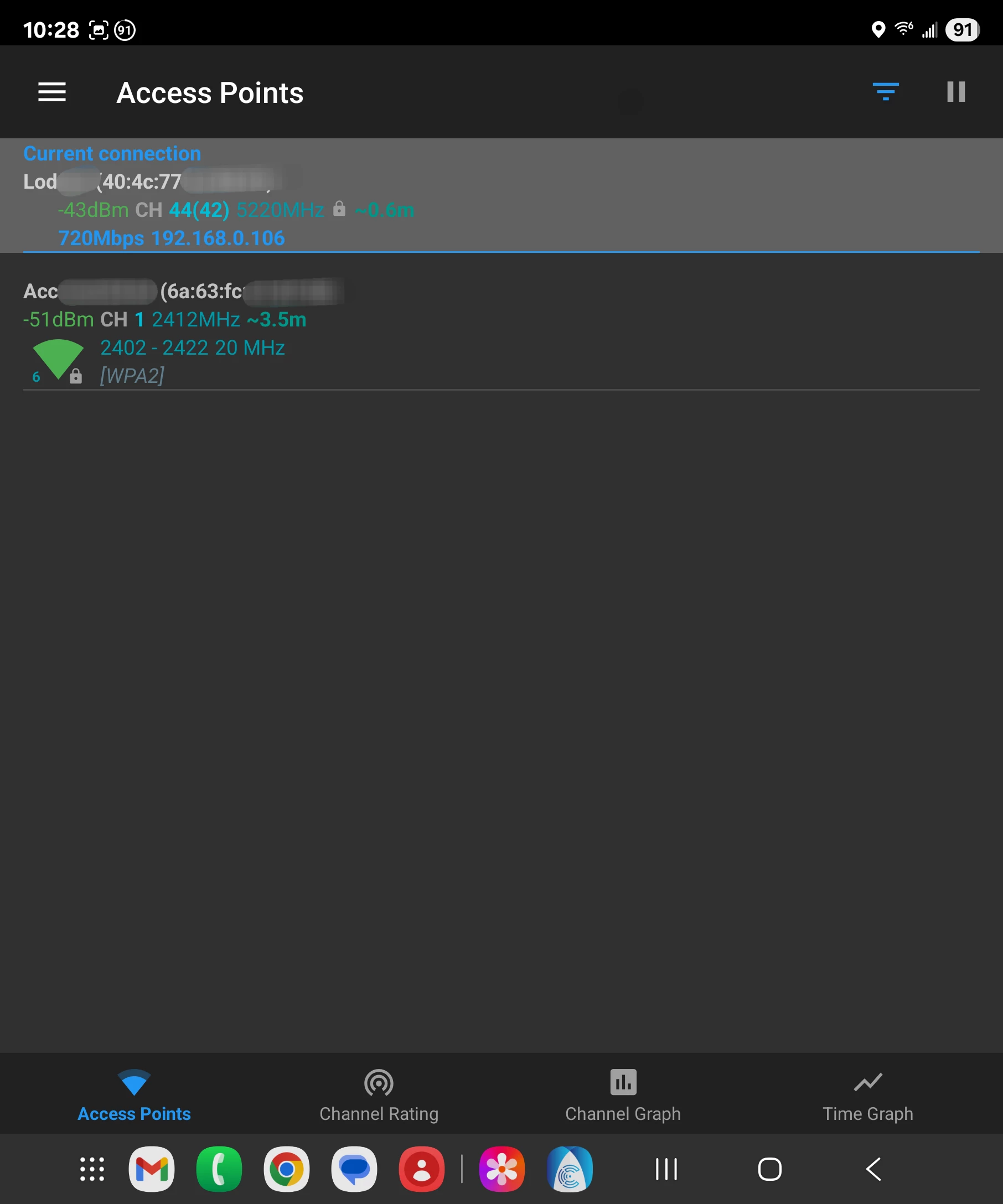
  2. The main issue is the guest network is only broadcast from the main router node, and not the satellite nodes. And if any of the nodes are swapped around, the same node that was the main node will keep broadcasting the guest network, but the new main node will not.
    This is very strange and frustrating as the whole point of a mesh is to spread the wifi throughout a wide area, there is no point to only broadcasting the network from one node. Plus the way that the guest network config seems to “stick” to the node that was set up with it suggests that it’s an issue of the guest network config not propagating to the satellites when it’s configured.

And yes, I’ve tried turning the guest network off and back on (a seemingly simple task but a nightmare on the app as it has a real hard time with actually controlling the network), swapping nodes around, etc.

Even is #1 is intentional, #2 seems like a bug that requires a firmware update, but given how I’ve seen people complain about the Surfboard Central app not being able to configure the network properly as far back as 2022, and it still hasn’t been fixed, I won’t keep my hopes up.


This topic has been closed for replies.

2 replies

Forum|alt.badge.img+42

​​​​​​

  1. Make that all three routers are positioned within a 30-foot radius of each other. This is the ideal range for optimal communication and connectivity between the units.
  1. Note: Once the setup is complete, each router should display a solid blue LED light, indicating a strong connection and successful synchronization across the mesh network
  2. When the guest network is enabled, it creates one SSID that combines both 2.4GHz and 5GHz bands. As you move around your home, even when you're closer to a satellite router rather than the main one, the guest network remains active and accessible due to the seamless mesh synchronization
  3. The Max W21 routers function as a single unified mesh network, not as separate networks. Any changes made through the ARRIS app—such as enabling the guest network—are automatically synchronized across all three units.

Forum|alt.badge.img
  • Author
  • The Many
  • August 2, 2025

​​​​​​

  1. Make that all three routers are positioned within a 30-foot radius of each other. This is the ideal range for optimal communication and connectivity between the units.
  1. Note: Once the setup is complete, each router should display a solid blue LED light, indicating a strong connection and successful synchronization across the mesh network

Yes, I don't have an issue with connectivity between the mesh nodes or the coverage on the main network.

  1. When the guest network is enabled, it creates one SSID that combines both 2.4GHz and 5GHz bands. As you move around your home, even when you're closer to a satellite router rather than the main one, the guest network remains active and accessible due to the seamless mesh synchronization


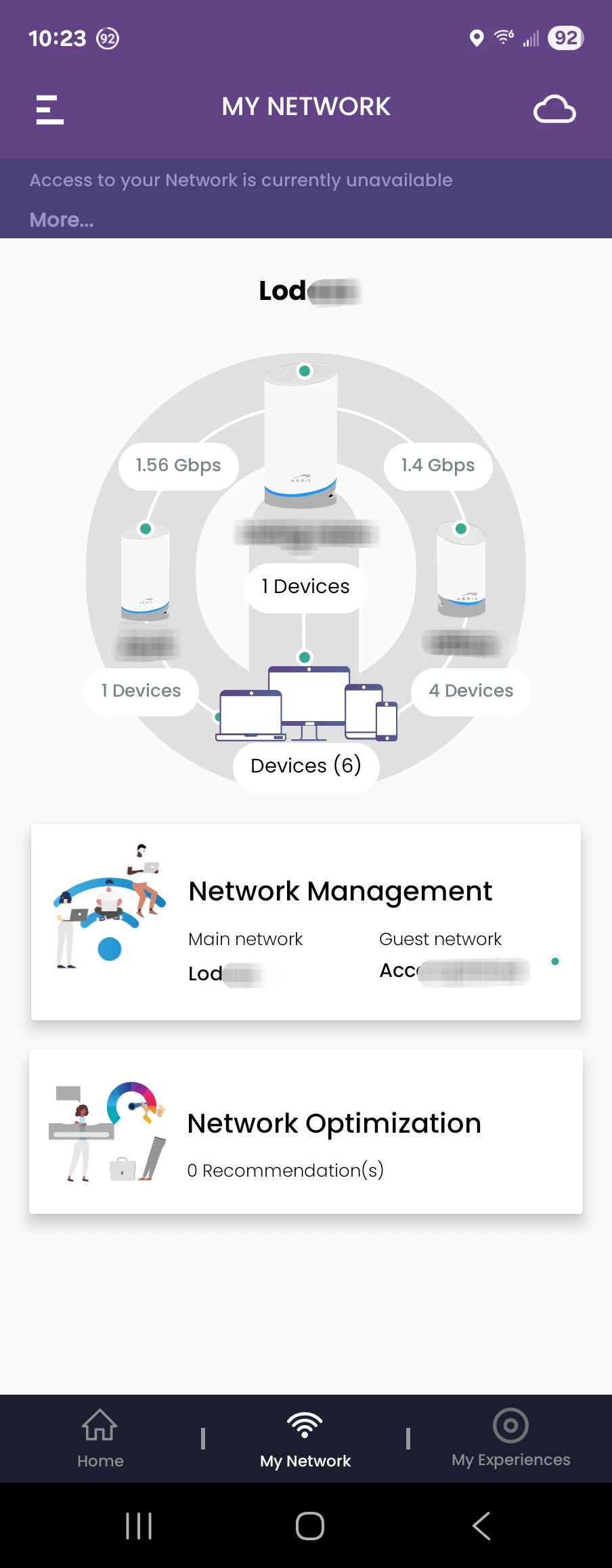
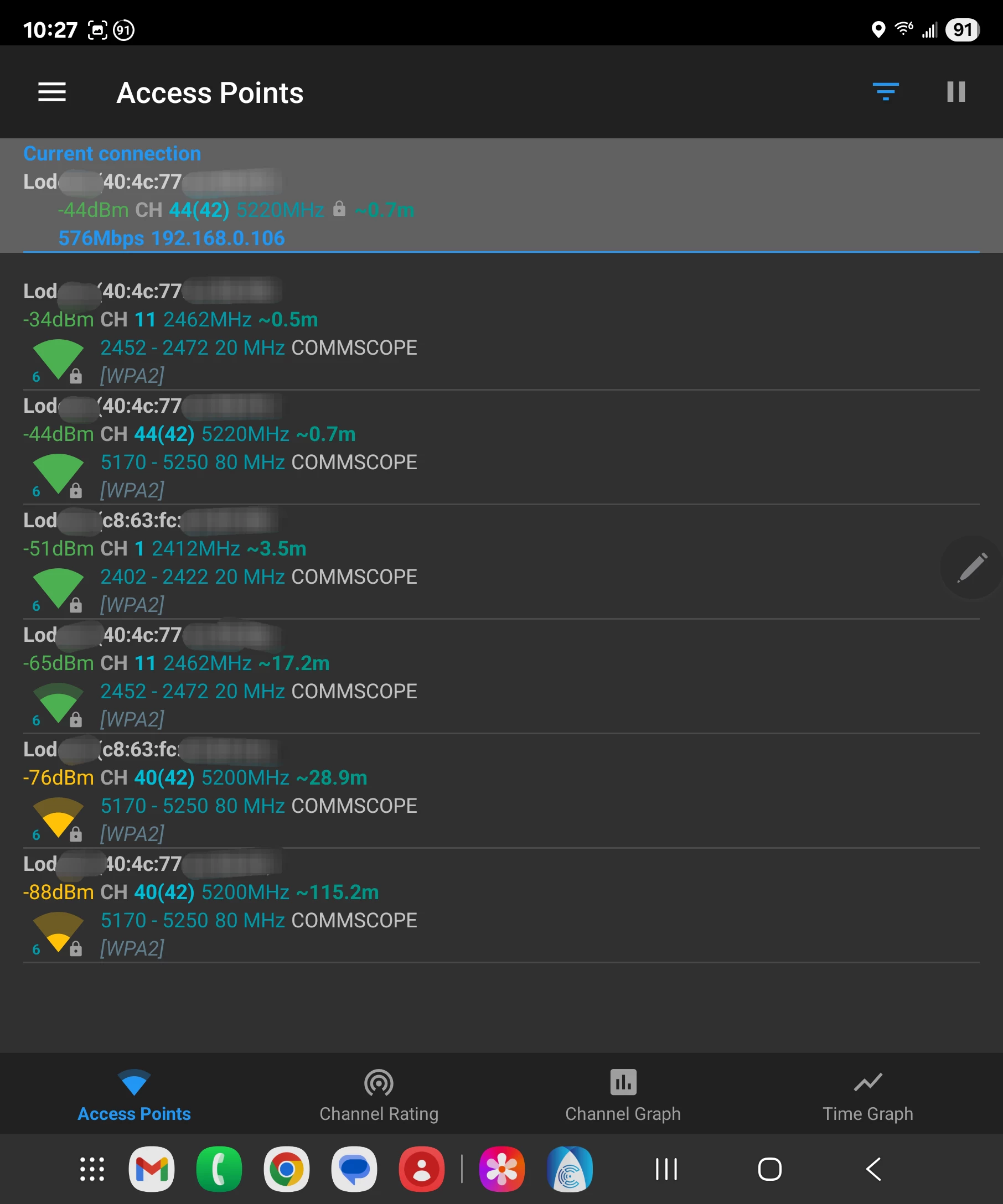
Absolutely not true, see attached screenshots. The guest network has only one 2.4GHz SSID and is only broadcast from the main node.

  1. The Max W21 routers function as a single unified mesh network, not as separate networks. Any changes made through the ARRIS app—such as enabling the guest network—are automatically synchronized across all three units.

The nodes function as a single mesh only for the main network. Not the guest network. Again see the attached screenshots. The settings may be synchronized but only the main node creates a guest SSID. If your internal documentation is telling you otherwise, then either the documentation is wrong or there is a bug, I encourage you to reach out to the engineers to verify and fix this.