Question

How do I configue setting 6Ghz and 2.4Ghz wifi signal name for mAX 6E W161?

  • July 21, 2025
  • 4 replies
  • 60 views

Forum|alt.badge.img

How do I configue setting 6Ghz and 2.4Ghz wifi signal name for mAX 6E W161?

I want to match my old router name, so I don’t need to change all my camera and other smart home devices.

This topic has been closed for replies.

4 replies

Forum|alt.badge.img+42

By default, the W61 combines the 2.4GHz, 5GHz, and 6GHz bands into a single network during setup.

If you're experiencing issues connecting 2.4GHz-compatible devices, we recommend disabling Band Steering. This allows devices to connect to their preferred frequency band more reliably.

The Surfboard Central app provides an option to split the network bands on this model. For detailed instructions on how to do this, please refer to the link below:

http://arris.force.com/consumers/articles/knowledge/mAX-W61-Unique-SSIDs-Setup


Forum|alt.badge.img
  • Author
  • The Many
  • July 25, 2025

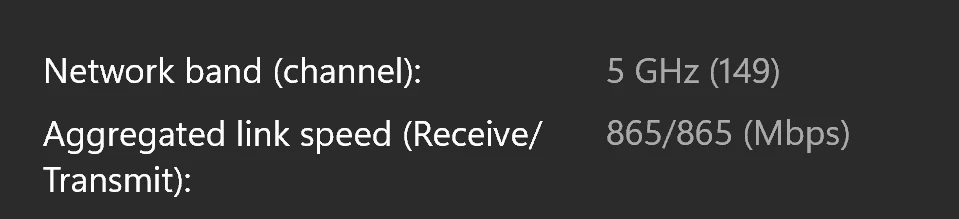
My computer have a wifi 6e card.

How do I keep my computer connect with 6 GHZ channel?

I already set my computer as a priority device in the app.

I only saw my computer connect to 6GHz channel once.

The satellite is just ourside of my door, very close.


Forum|alt.badge.img
  • Author
  • The Many
  • July 25, 2025

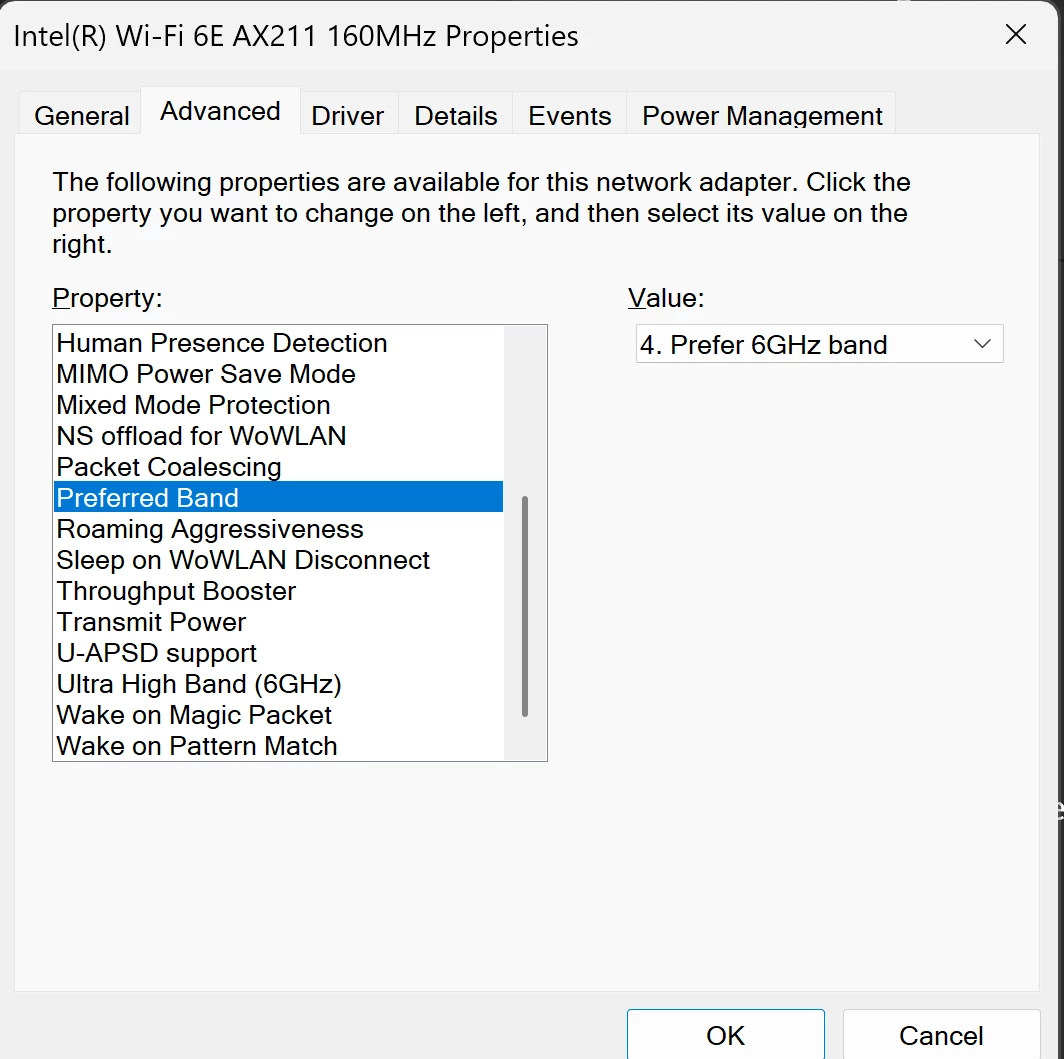
I also set my computer wifi card preferred band is 6 GHz channel.


Forum|alt.badge.img+42

When separating the bands on the W161, can your computer detect the 6GHz band?
Also, aside from your computer, do any of your other devices support Wi-Fi 6E? This would help determine if they can connect to the 6GHz network.