


Question

New SB8200v3 Astound 1Gig internet - Not getting more than ~35Mbps

  • January 31, 2026
  • 3 replies
  • 37 views

Hello,

I recently purchased an Arris SB8200v3 modem because my prior modem seemed to be failing (less than 10Mbps download speeds - tech came out to check and said the cable wa

s fine).

I activated the new modem with Astound, but since then I have not gotten more than about 35Mbps download speeds. I’ve done several hard resets (methods: unplugging power, pushing reset button, both when coax connected and disconnected from the modem), but nothing seems to be working. I have a 1Gig plan with Astound, and, in the past, generally, I’ve had very fast speeds. I’ve tried to troubleshoot using information from other topics/websites, but nothing is working. Is my new modem defective? Here are the specs:
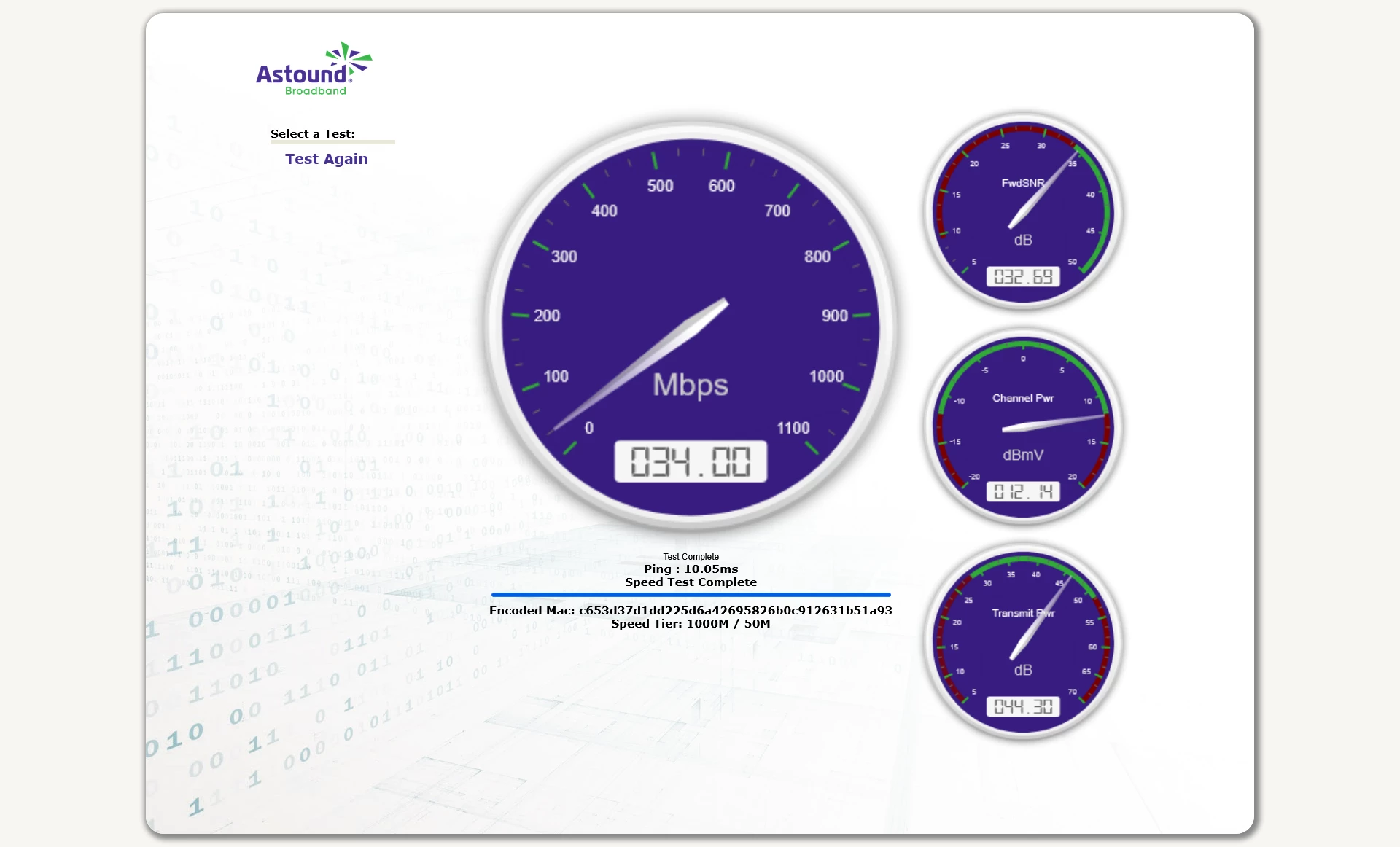
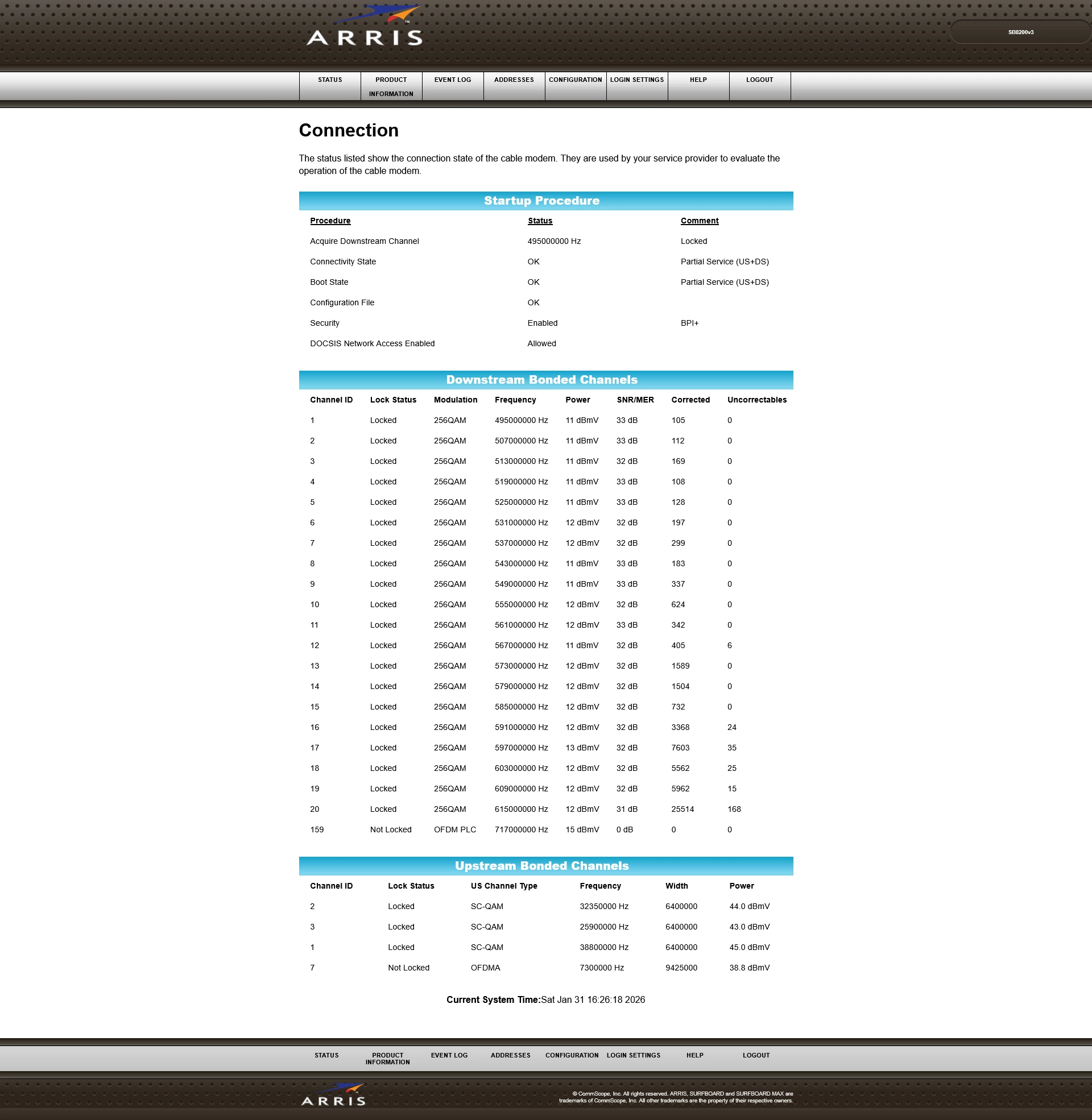
(Edited personal information)

3 replies

plemans
Juggernaut
Forum|alt.badge.img+41
  • Juggernaut
  • February 2, 2026

Whoever checked your line did a poor job as your power levels are pretty darned high. It should be between -7.5dbmv and 7.5dbmv. You’re over 15 at times. 


  • Author
  • The Many
  • February 2, 2026

Thank you for the quick reply! There is a FAM-03 3db attenuator attached between the coax cable and the modem. The cable also has a splitter right where the cable comes into the home. The splitter is a Digimax DMDC8R (5MHz-1GHz; RFI 120dB; -8dB TAP). It’s old from when the previous owner used it to run cable TV into the bedroom, but that line is no longer used and is disconnected from the splitter.

I know next to nothing about the mechanics of cable-to-home internet/TV service, but I’ve been reading up and trying to learn as much as I can.

Do you know if this is an easy DIY fix or if this is “Call the cable company” type of fix? Really appreciate your help.


plemans
Juggernaut
Forum|alt.badge.img+41
  • Juggernaut
  • February 3, 2026

If it was me? I’d plug the modem in right where the coax comes into the home. See what levels you’re at. Attenuators and splitters can add interference and cause issues. Start at the best connection, see what you’ve got from power, and then potentially add an attenuator there.



