Answer

Static LAN IPs

  • September 13, 2023
  • 3 replies
  • 78 views

Forum|alt.badge.img

How can I managed the several hard wired devices on my LAN through the SBG10. Preferably this would be done by assigning static LAN IP addresses.

Best answer by LoveMyLab

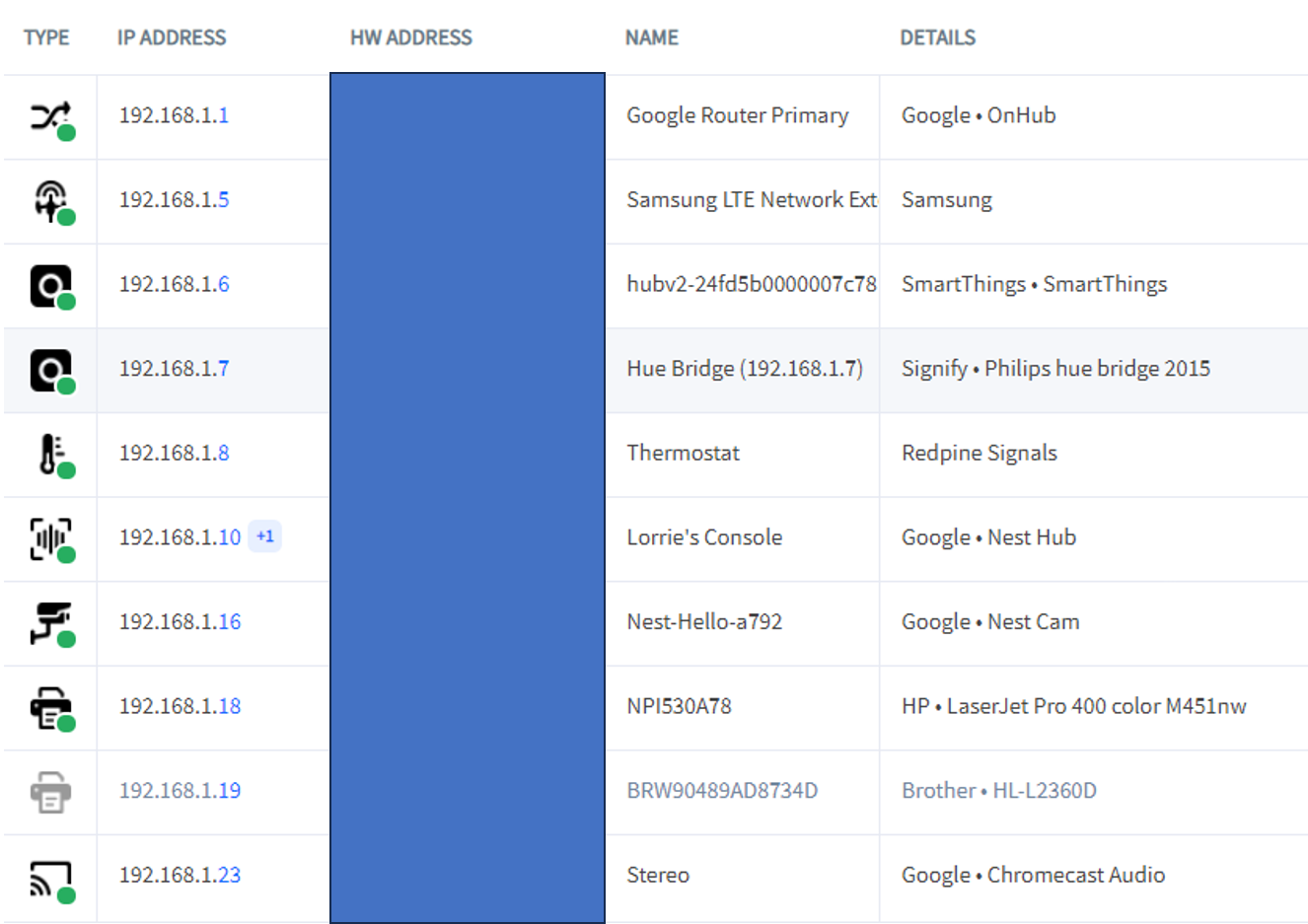
I am not an expert. On my system, which uses an SB8200 > Google Router > dual D-Link switches > multiple Google Routers acting as access points, I can set up static IP addresses regardless of whether the device is on ethernet or WiFi. In the example below, The Samsung LTE Network Extender, Smart Things hub, and the Philips Hue Bridge are all hard-wired while the printers are WiFi. I can’t guarantee the SBG10 has the same capability.
 

This topic has been closed for replies.

3 replies

LoveMyLab
Guardians of the Gateways
Forum|alt.badge.img+19
  • Guardians of the Gateways
  • September 13, 2023

Forum|alt.badge.img
  • Author
  • The Many
  • September 14, 2023

Thank you for your response, LoveMyLab

Very useful information which I likely will make use of.  However, my understanding from the link is that this method applies to  WiFi connected device.  My dilemma is the several devices on my LAN, to which I would like to assign a “non-changing” IP addresses, were wired into the network via Ethernet cables, and some are not WiFi capable.  So I need a “interface” with RJ45 connectors, but I do not know if that needs to be switch or a router, or how they need to be connected.


LoveMyLab
Guardians of the Gateways
Forum|alt.badge.img+19
  • Guardians of the Gateways
  • Answer
  • September 14, 2023

I am not an expert. On my system, which uses an SB8200 > Google Router > dual D-Link switches > multiple Google Routers acting as access points, I can set up static IP addresses regardless of whether the device is on ethernet or WiFi. In the example below, The Samsung LTE Network Extender, Smart Things hub, and the Philips Hue Bridge are all hard-wired while the printers are WiFi. I can’t guarantee the SBG10 has the same capability.