



Question

Newly Blocked to Router

  • November 20, 2025
  • 3 replies
  • 31 views

Forum|alt.badge.img


Please help me with my ISSUES getting into modem software

I have an Arris SGB8300 and use microsoft edge browser.
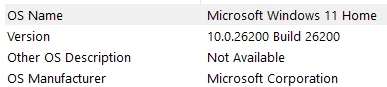
I changed my admin password to the router/modem.

I logged in successfully to 192.168.0.1

→ I was warned my Edge Browser was unsecure

→ I was to use 70.0.3538.110 (later tried and got …  (similar message as one shown)
I then attempted to forward a port (found where - but had extra fields to fill in)

I logged out

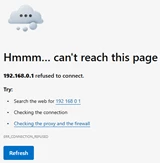
When I wanted to log back to router … I got the HMMM … Can’t reach this page TAUNT)

I think it is my machine blocking … but IDK..
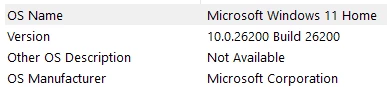
Stumped Steve 

3 replies

Forum|alt.badge.img+42

The error you see when trying to log in to the interface is normal and can be ignored. When accessing the interface, ensure that your device is connected to the main network, not a secondary or guest network. This will allow you to reach the interface page successfully.


Forum|alt.badge.img
  • Author
  • The Many
  • December 7, 2025

My device is connected to the main network and still unable to connect to:

192.168.0.1

192.168.28.1

70.0.3538.110


Forum|alt.badge.img+42

The first IP address mentioned is the gateway login IP address. The second IP address does not appear to be assigned by the SBG8300, as the gateway typically assigns IP addresses in the 192.168.0.x range. The fourth IP address also seems invalid. This suggests you may be connected to a different network, such as an extender, or possibly to the guest network of the SBG8300.

We recommend connecting a computer directly to the SBG8300 using an Ethernet cable to access the interface.

