Question

SBG8300 disconnects daily several times from internet

  • March 1, 2026
  • 3 replies
  • 29 views

Forum|alt.badge.img

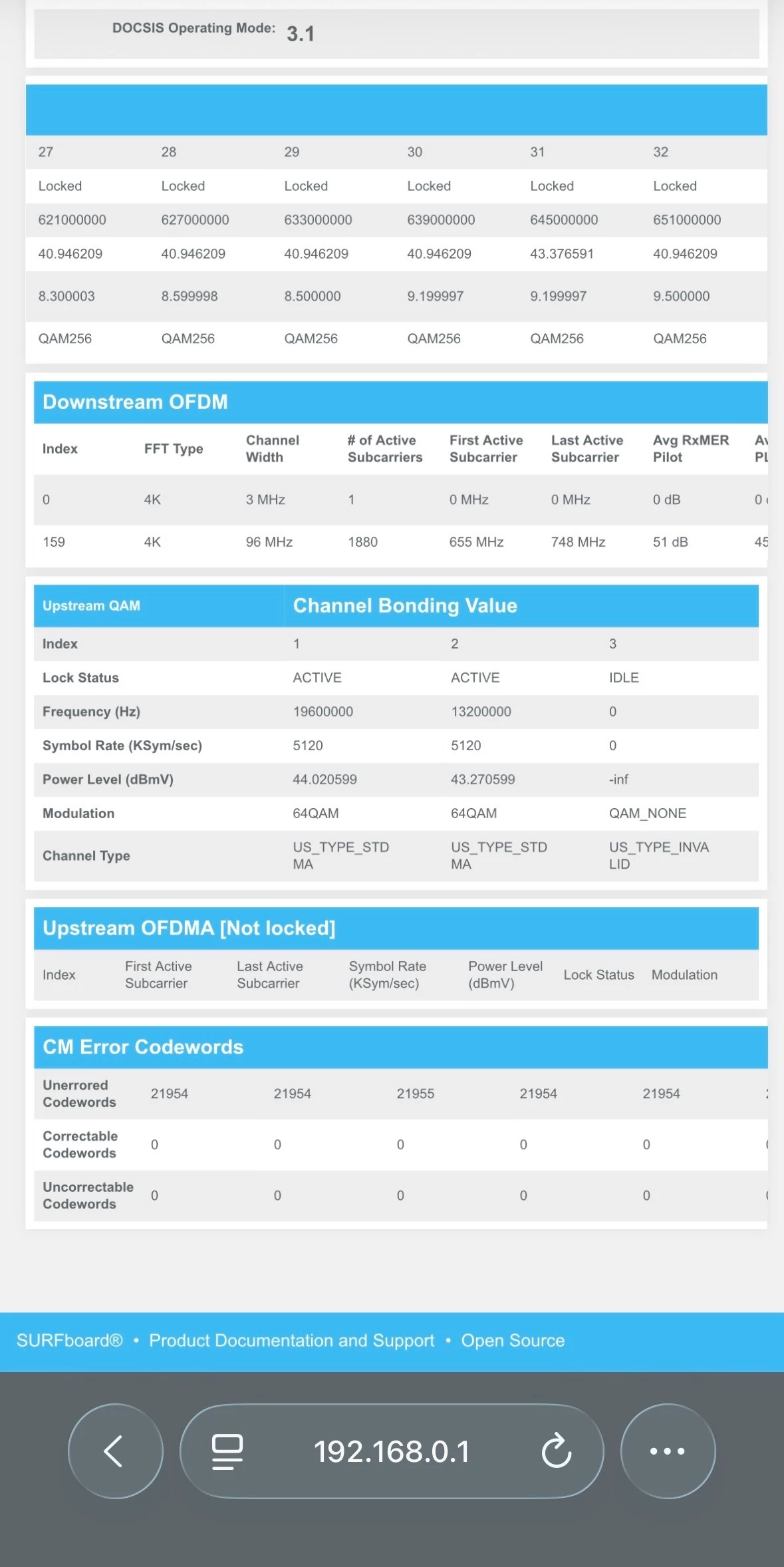
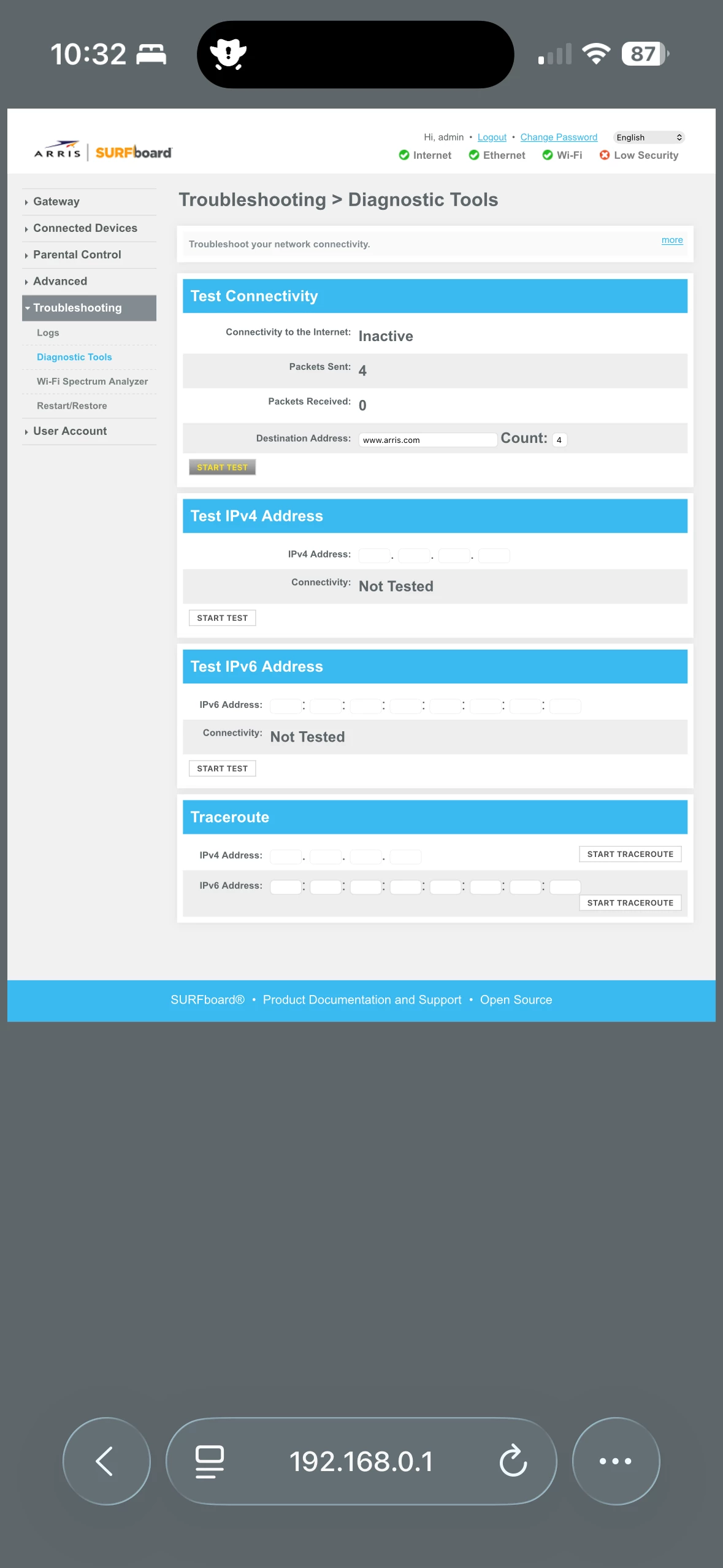
My modem disconnects from the internet several times during the day. Our provider is Spectrum. They have stopped by several times and even replaced the cable from the pole to my box. My downstream and upstream QAM values are shown in the photo. I connected to the box using 192.168.0.1 when the internet was out and under Troubleshooting | Diagnostic Tools under Test Connectivity the status showed “Inactive”. I am not sure what that means. 

Once I reboot the router, I have connectivity for several hours and then it goes down again. On average, it goes down at least 3 times daily.


Also, I tried to check the logs. And there are none…


3 replies

Forum|alt.badge.img

Just wanted to comment that we are subscribed to the 600 MB plan from Spectrum. And there is no set time when we lose internet…seems to be random.


Forum|alt.badge.img+42

When the internet connection drops, does it seem like the gateway is rebooting on its own?

If the connection is lost on both Ethernet and Wi‑Fi, do the Wi‑Fi network names disappear as well?

If the connection drops on both, then we recommend checking the cable signal levels within the gateway. If the signal levels are out of the acceptable range, they can lead to the kind of connectivity issues you're experiencing.

When the signal levels are within the recommended range, your modem can maintain a stable, high-quality connection to the internet

Please refer to the link below for instructions on how to check your cable signal levels:

https://arris.my.salesforce-sites.com/consumers/articles/knowledge/G34-G36-Cable-Signal-Levels

The cable signal levels displayed on the interface page reflect the signals being transmitted by your Internet Service Provider (ISP).


Based on the image you shared, the upstream power levels appear to be outside the acceptable range

If you notice that these signal levels are outside the recommended range, we suggest contacting your ISP to have them reviewed and adjusted accordingly.

While ISPs may have their own approved signal ranges, for this gateway to function properly, the signal levels must align with the acceptable values outlined in the reference article provided.


Forum|alt.badge.img

I have never seen the gateway reboot by itself.

And yes, when the Internet connection is down, the Wi-Fi network names disappear too. Very interested to know what this means.  

I also noted that when the connection goes down, the Wi-Fi icon on the front of the gateway is green and does not blink or it’s blinking so fast that it appears to be in steady state. According to the manual, this means that the gateway is trying to acquire IP address…

Also, the globe icon (the top icon on the front of the gateway) is green and not blinking when the connection is down.


While the pasted screenshot shows upstream QAM values that are out of the range, I have seen connection go down in the past even if all values were in the acceptable range. I just don’t have a screenshot of that.