Solved

HOW to change Wifi name and PW for G36

  • July 27, 2025
  • 9 replies
  • 267 views

Forum|alt.badge.img+1

I activated my G36 through Xfinity.

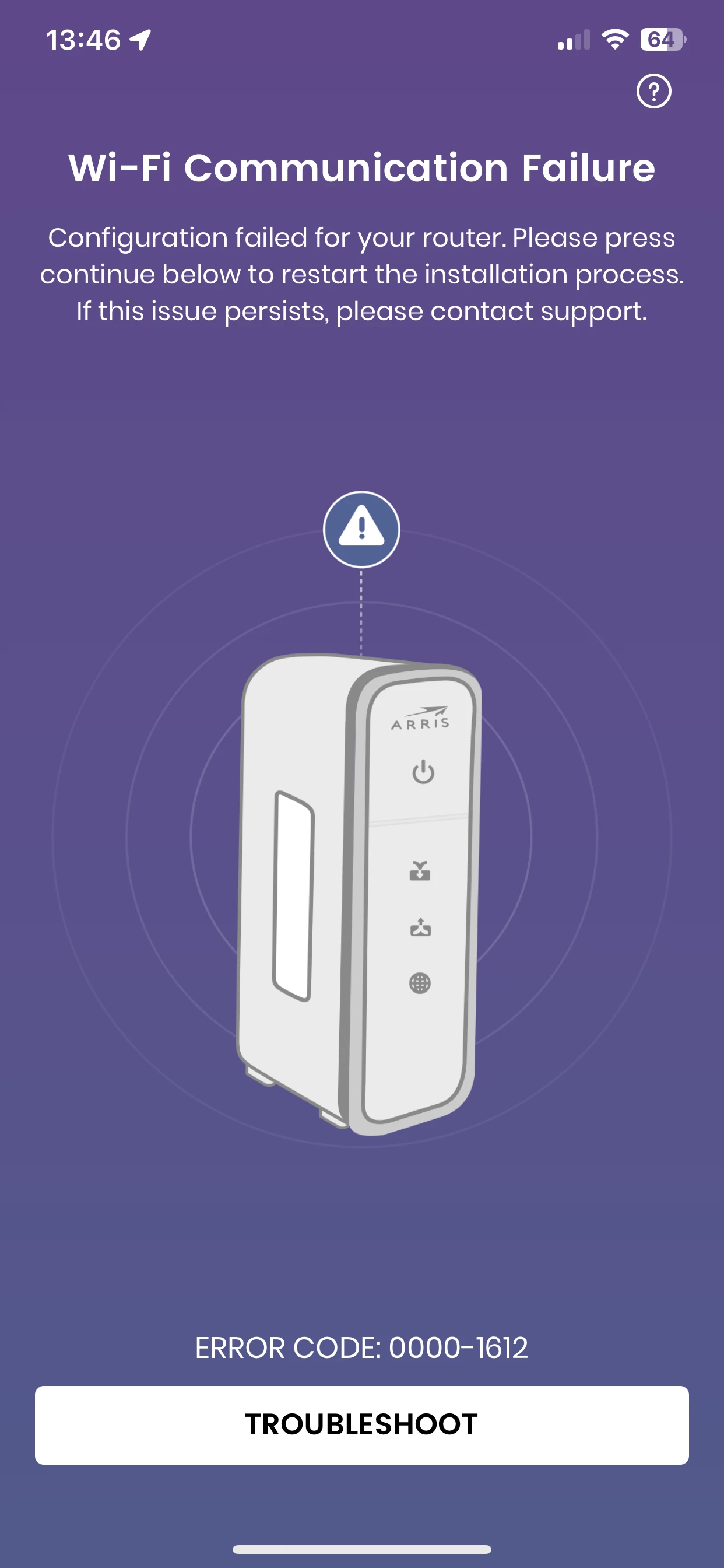
I used surboard phone app, it connects failed.

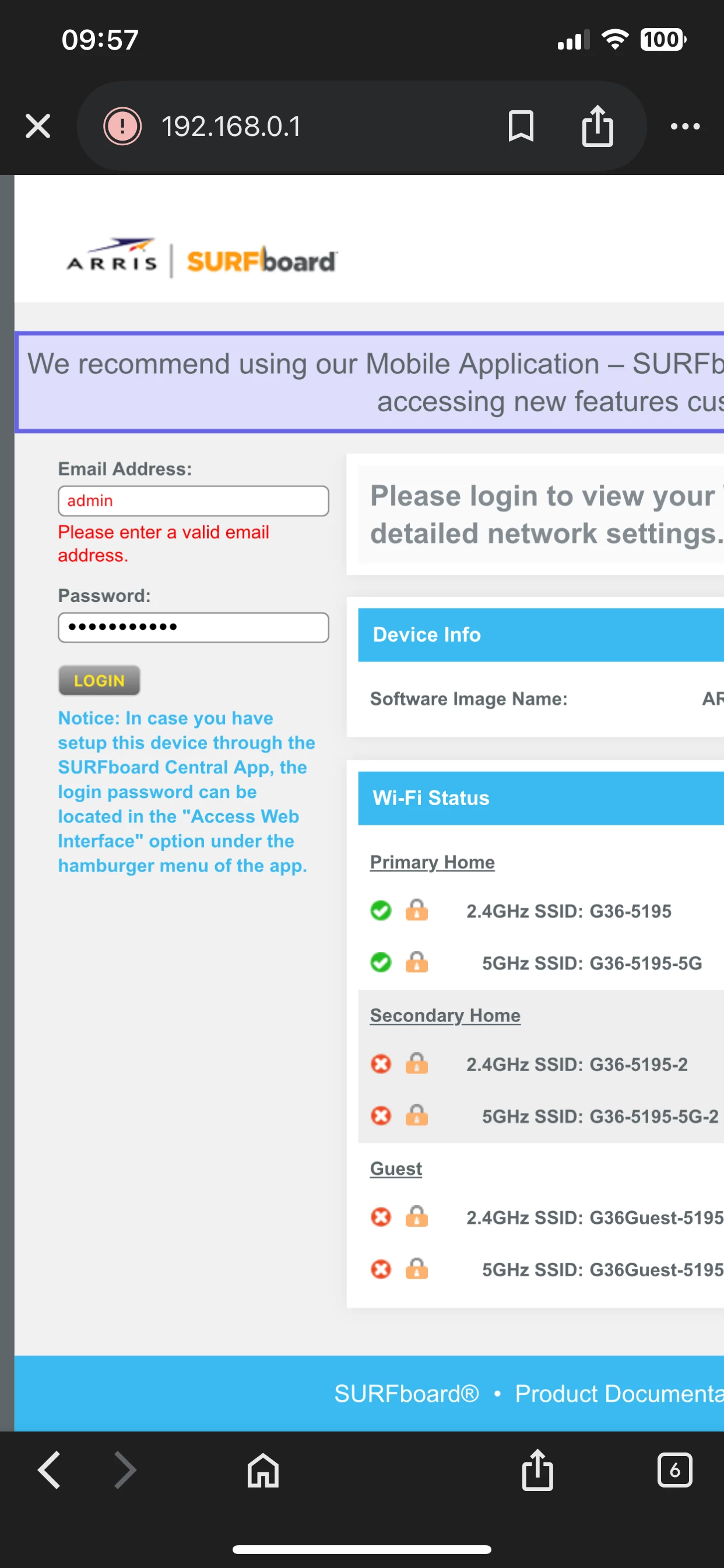
I used 192.168.0.1, whats the email and pw I use to login? the one same as my community account?

Best answer by SURFboard Moderator

We apologize for the inconvenience. If neither the web interface nor the app is setting up correctly, it appears the gateway may be misconfigured. To resolve this, please perform a factory reset by holding the reset button for at least 20 seconds.

Once the reset is complete, you should be able to set up the app or access the web-based interface by visiting 192.168.0.1.

For G36, during the initial setup, you’ll be prompted to create a password for accessing the web interface. If you’ve set up the Surfboard Central app, it will generate the password automatically for you

To setup the surfboard central app post factory reset , please refer to the below link on how to do the setup  

https://arris.my.salesforce-sites.com/consumers/articles/knowledge/SURFboard-Central-Wi-Fi-Cable-Modem-Setup

But if you would like you stick with the web interface, please follow the below in link on how to setup the interface and as well as to change the network password 

https://arris.my.salesforce-sites.com/consumers/articles/knowledge/G34-G36-Web-Manager-First-Time-Login


This topic has been closed for replies.

9 replies

  • July 27, 2025

On my new G36, the user is ‘admin’ and the password was a long numeric set of digits found on a sticker on the bottom of the G36.  Your router administrative password will normally have nothing to do with this community account unless you inadvertantly told Xfinity to change the administrator password of the router during the activation process.

Once logged into the router, you can change the WiFi name and password.  You can also change the administrative password from the one on the sticker to something more easily remembered.


Forum|alt.badge.img+1
  • Author
  • The Many
  • July 27, 2025

When I tried to login at 192.168.0.1,it askes a email from some account. 

I still input admin at the email block?


Forum|alt.badge.img+1
  • Author
  • The Many
  • July 27, 2025


Forum|alt.badge.img+1
  • Author
  • The Many
  • July 27, 2025

those are the error while i used the app


  • July 27, 2025

Apparently you are getting to the login screen with a wired connection.  Shouldn’t matter, but does clear up something about your situation I wasn’t clear on. 

I can’t be sure, but xFinity activation/provisioning apparently clobbered your admin user such that it is no longer ‘admin’ and is now an email address.  I haven’t hit this myself, but I’m going to make the educated guess that its either the email address you created with xFinity *or* xFinity took over control of your G36 during activation with an email address only they know.  I’ll be really ticked if they do that to mine.

Can you login on xFinity’s web site (https://login.xfinity.com/) just to see if you can remember what email address and password they think corresponds to your account?   I don’t even know that’s what the router now wants, but it would be a good pair to try.

Btw, for my new G36, unadulterated by xFinity yet, the passwords for all WiFi subnets is the same multi-digit number from the sticker that I proposed you use for ‘admin’s password.


Forum|alt.badge.img+1
  • Author
  • The Many
  • July 28, 2025

It is not my xfinity account. Thats weird. How do u activate your device?

I did it through Xfinity app


Forum|alt.badge.img+1
  • Author
  • The Many
  • July 28, 2025

I will give it one more try to reset. And no customer service agent replying. 
 

How funny is that


Forum|alt.badge.img+1
  • Author
  • The Many
  • July 28, 2025

And all their links they gave in the community is not openable


Forum|alt.badge.img+42

We apologize for the inconvenience. If neither the web interface nor the app is setting up correctly, it appears the gateway may be misconfigured. To resolve this, please perform a factory reset by holding the reset button for at least 20 seconds.

Once the reset is complete, you should be able to set up the app or access the web-based interface by visiting 192.168.0.1.

For G36, during the initial setup, you’ll be prompted to create a password for accessing the web interface. If you’ve set up the Surfboard Central app, it will generate the password automatically for you

To setup the surfboard central app post factory reset , please refer to the below link on how to do the setup  

https://arris.my.salesforce-sites.com/consumers/articles/knowledge/SURFboard-Central-Wi-Fi-Cable-Modem-Setup

But if you would like you stick with the web interface, please follow the below in link on how to setup the interface and as well as to change the network password 

https://arris.my.salesforce-sites.com/consumers/articles/knowledge/G34-G36-Web-Manager-First-Time-Login